How to write a really good Dockerfile
Is your Dockerfile okay as it is?

This content summarizes common mistakes and considerations when creating images using Dockerfiles. As mentioned below, this is my opinion, and it may be wrong or different from others’ perspectives. If you have any opinions, please contact me at joyson5582@gmail.com or leave a comment, and I will explain my views further.
A Dockerfile, based on its internal commands, enables:
- Building an image
- Creating a container from the built image
There are already many blog posts and sample files available when you search. What are the points to be careful about?
What is a bad Dockerfile?
A reasonable example file
1
2
3
4
5
6
7
8
9
10
11
12
13
# Set Java base using Official Image
FROM openjdk:17

# Specify working directory
WORKDIR /app/backend

# Specify JAR file location
ARG JAR_FILE=build/libs/*.jar
COPY ${JAR_FILE} app.jar

EXPOSE 8080

ENTRYPOINT ["java", "-jar", "app.jar"]
Most Spring Dockerfiles currently look like this.
So, why don’t they build within the Dockerfile? Most files that build Nest or React frameworks are structured like this:
1
2
3
4
5
6
7
8
9
10
11
12
13
14
15
FROM node:20.5.0

WORKDIR /app

COPY package.json .

RUN npm install

COPY . .

RUN npx prisma generate dev

EXPOSE 8000

CMD ["npm", "run","start:dev"]
This involves:
- Installing libraries via package.json
- Copying files
- Running the server
(This is a Dockerfile I wrote in the past…) I will convert this to a Spring version Dockerfile and explain it together.
A bad Dockerfile
1
2
3
4
5
6
7
8
9
10
11
12
13
14
15
16
17
18
19
20
21
22
23
24
25
26
FROM eclipse-temurin:17-jdk-jammy

WORKDIR /app/backend

# Install libraries
COPY gradlew .
COPY gradle gradle
COPY build.gradle .
COPY settings.gradle .

RUN ./gradlew dependencies --no-daemon

# Copy files
COPY ./src ./src

RUN chmod +x ./gradlew

RUN ./gradlew bootJar

EXPOSE 8080

ARG JAR_FILE=build/libs/*.jar
COPY ${JAR_FILE} app.jar

# Run server
CMD ["java","-jar","app.jar"]
So, what’s wrong with this content?
Dependency Installation
Dependency installation causes a lot of time and risk.
- Each time dependencies change, caching fails, leading to time consumption on non-critical dependency installation during deployment.
- If dependency configuration or installation fails, deployment fails.
The more you delegate parts of the build to external control, the greater the chance that the build will fail in a situation where you cannot intervene. - DevOps Tools for Java Developers
Therefore, it is reasonable to manage and install dependencies externally.
1
2
3
4
5
6
7
What if a dependency error occurs, but it's not revealed due to existing installed files?

In my opinion (which could be wrong),
the purpose of a Dockerfile is to build the desired program into a container.
Whether there are dependency issues during the build is not important.

Therefore, I conclude that it doesn't matter if dependencies are managed externally.
File Copying
Copying files is very dangerous. Docker layers are structured into many layers. And each of these layers has its own file system.
If I use a value only in a specific layer and then delete it, it won’t be visible in the final layer.
However, if someone tries to find that value in a specific layer, it will inevitably be visible. Unless it’s a build file, it’s best not to copy any files at all. (COPY ./ ./ is, of course, a sin.)
In other words, just like dependency installation, do it externally and then put it into Docker.
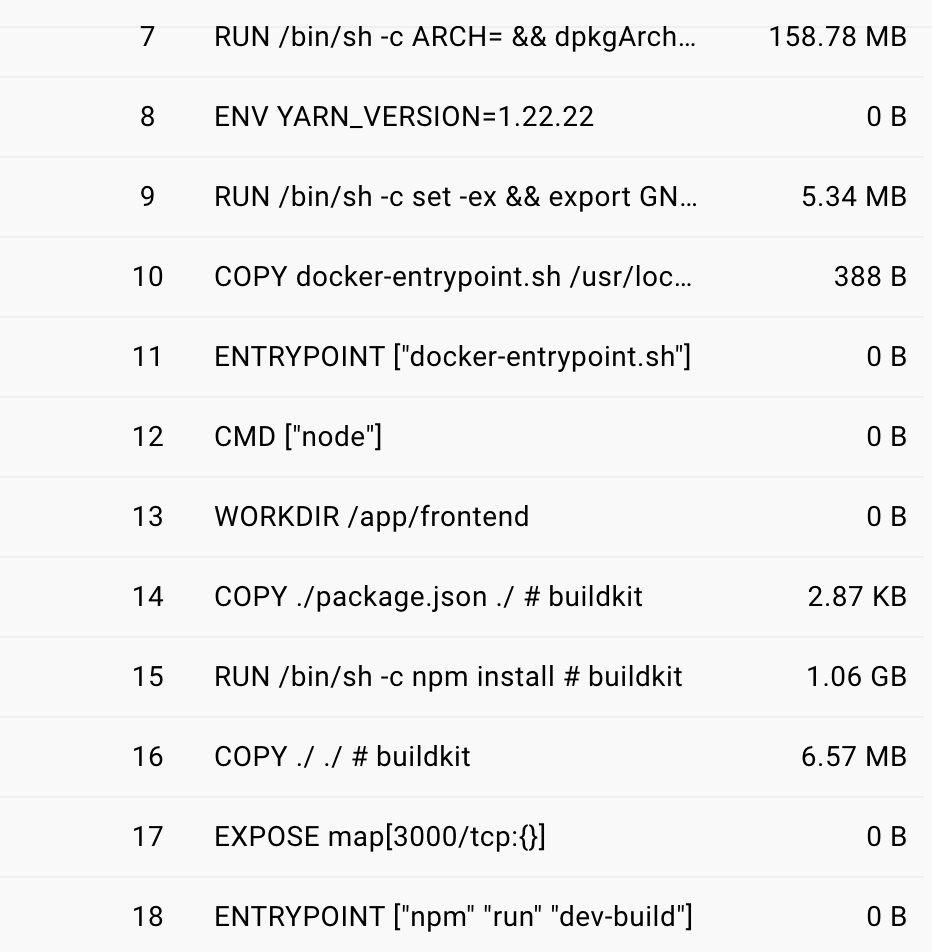
(Size difference between installing dependencies and copying files internally vs. externally) (File copying may not seem significant at first, but it will inevitably increase as it expands.)
Additionally, images should be configured to be as small as possible. Unless you’re updating tags like <none>:<none> or backend:latest (which is also problematic), if you use tags for versioning or create multiple images, the image size will place a significant burden on storage space.
Since this image size also affects container size, pay attention to it.
Unnecessary Layers
1
2
3
4
COPY gradlew .
COPY gradle gradle
COPY build.gradle .
COPY settings.gradle .
You might think it’s cleaner to have them separate like this.
Each command creates its own layer. There’s no need to unnecessarily increase the number of layers.
1
COPY gradlew gradle build.gradle settings.gradle ./
It might look messier, but it creates one layer instead of unnecessarily creating four.
Understanding the difference between CMD and ENTRYPOINT
1
CMD ["java","-jar","app.jar"]
The build will run. However, ENTRYPOINT is the principle.
- ENTRYPOINT: The default command when the container starts.
- CMD: The command that runs by default, defines arguments.
- RUN: A command that runs when building a Docker image.
CMD:
- If there is no ENTRYPOINT, it acts as the default executable command argument.
- If there is an ENTRYPOINT, it defines the default arguments to be used with it.
Reviewing a reasonable Dockerfile
1
2
3
4
ENTRYPOINT ["echo"]
CMD ["Hello, World!"]

-> Executes echo "Hello, World!"
1
2
3
4
5
6
7
8
9
10
11
12
13
# Set Java base using Official Image
FROM openjdk:17

# Specify working directory
WORKDIR /app/backend

# Specify JAR file location
ARG JAR_FILE=build/libs/*.jar
COPY ${JAR_FILE} app.jar

EXPOSE 8080

ENTRYPOINT ["java", "-jar", "app.jar"]
Therefore, this Dockerfile is quite clean and well-made.
Let’s delve a little deeper.
Identifying Vulnerabilities & Deciding on the From Image
You can find out more details by checking the layers through Docker Desktop.
The above Dockerfile has layers like: oraclelinux:8-slim -> openjdk:17, 17-jdk... -> my created image.
And it shows high vulnerability.
If you check it? The general content is: An unauthenticated attacker who can access this vulnerability through various protocols over the network can exploit it. (By GPT) This is quite chilling for a developer.
If we are just using it for simple projects or for Docker to run, it might not be important. However, as developers, shouldn’t we pay attention to and care about the files we use?
There are various Official Images for JDK 17. (eclipse-temurin:17, amazoncorretto:17, zulu-openjdk:17, etc.)
https://hub.docker.com//amazoncorretto https://hub.docker.com/r/azul/zulu-openjdk https://hub.docker.com//openjdk (deprecated)
Go to each official page, check the supported tags, and apply them.
I decided to use azul/zulu because it has no vulnerabilities.
Inspecting & Checking Files
When creating an image, you can set Env values as environment variables or include application.yml. If so, this Docker Image must also be handled with extreme care to prevent exposure.
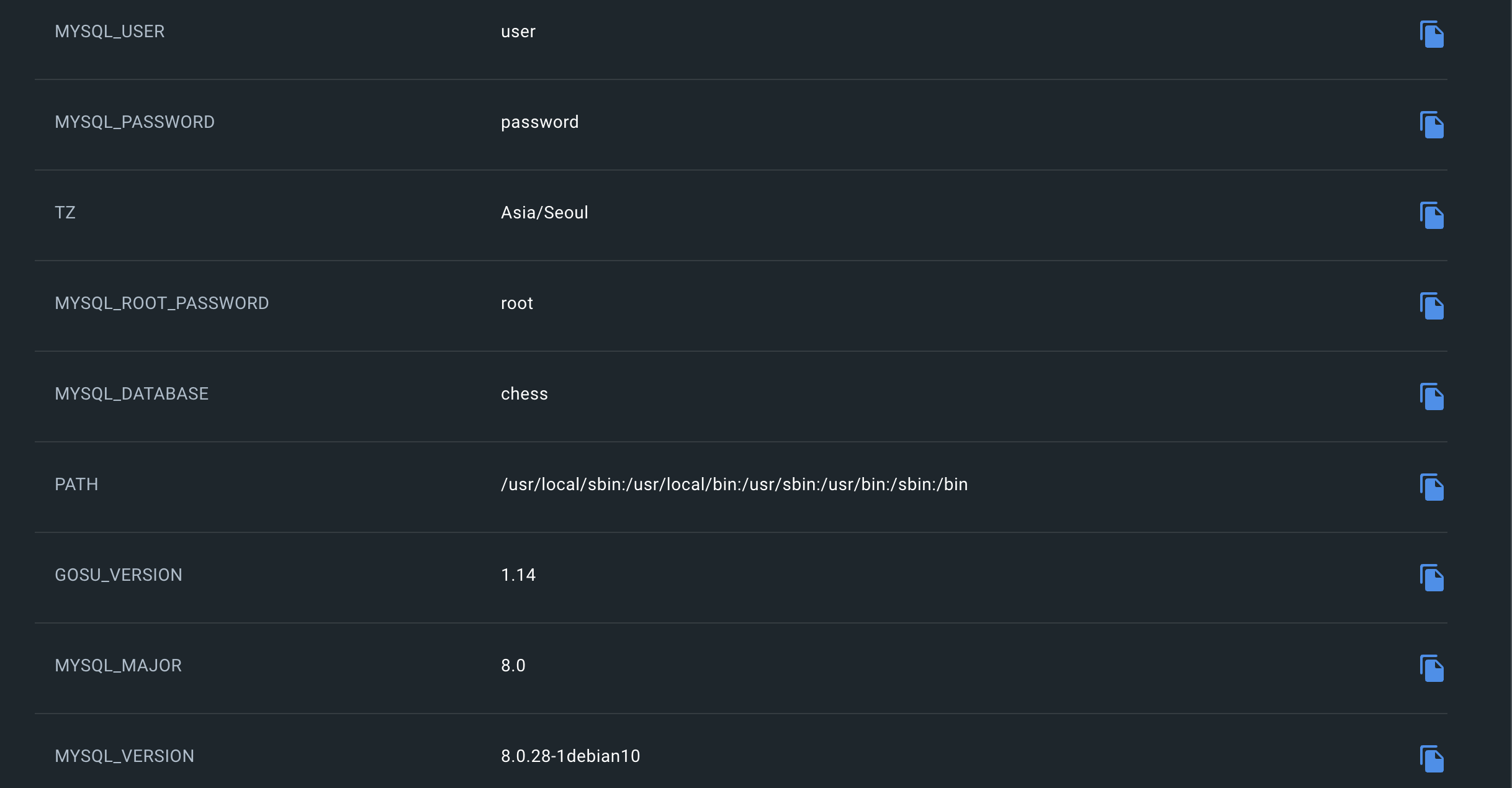
Even if you inject into ENV, everything is revealed in Inspect.
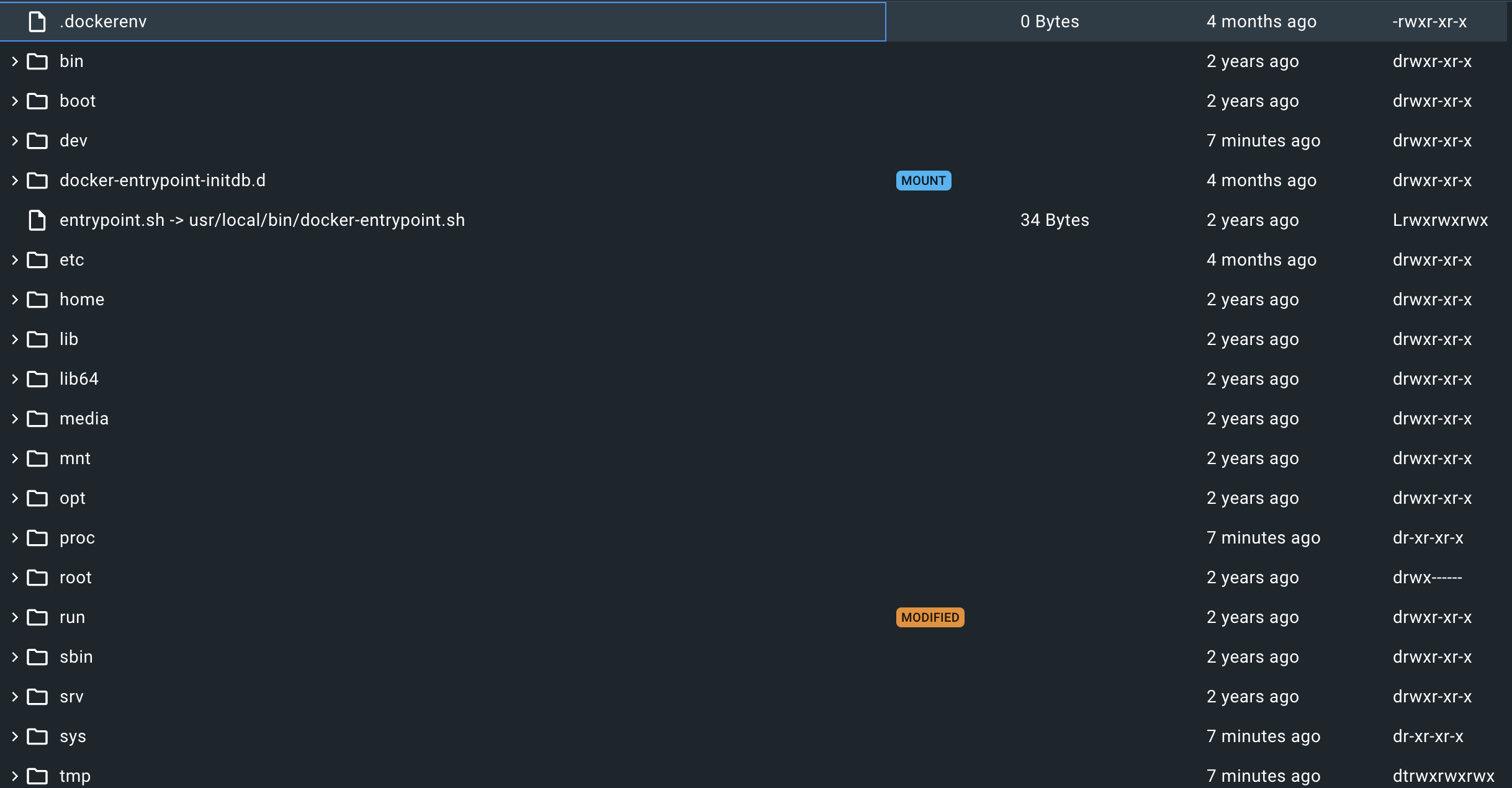
It is essential to check if you accidentally included any files or if any sensitive information is exposed in the configured ENV. (There’s a docker build --secret option, but I haven’t learned it yet.)
Conclusion
I decided to use azul/zulu because it has no vulnerabilities.
The word “decided” here is quite significant. For some, vulnerabilities might not be important, and build speed or image size might be more crucial. (In fact, Amazon Alpine is very small at 344 MB, while Zulu is 446 MB.)
Therefore, it’s fine to use openjdk.
However, using something unknowingly versus knowing and making a judgment is a huge difference. Always have a reason and establish criteria for your decisions.